See what Claude
actually reads
Scan your Claude Code configuration, visualise the dependency graph, catch orphan files, and track software versions — across every device and every project.
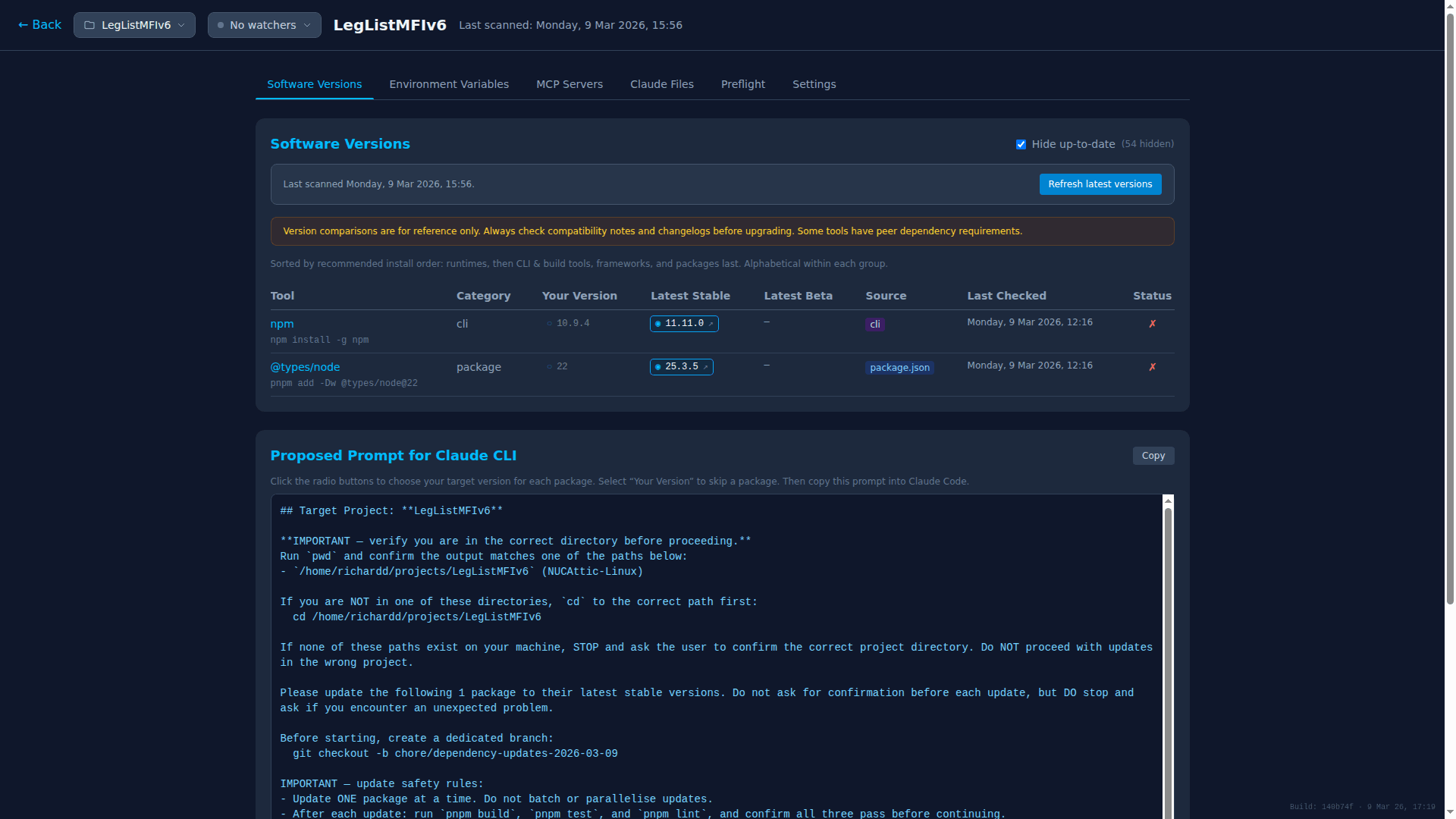
Everything about your Claude setup,
in one place
Stop guessing which files Claude loads. Scan once, see everything.
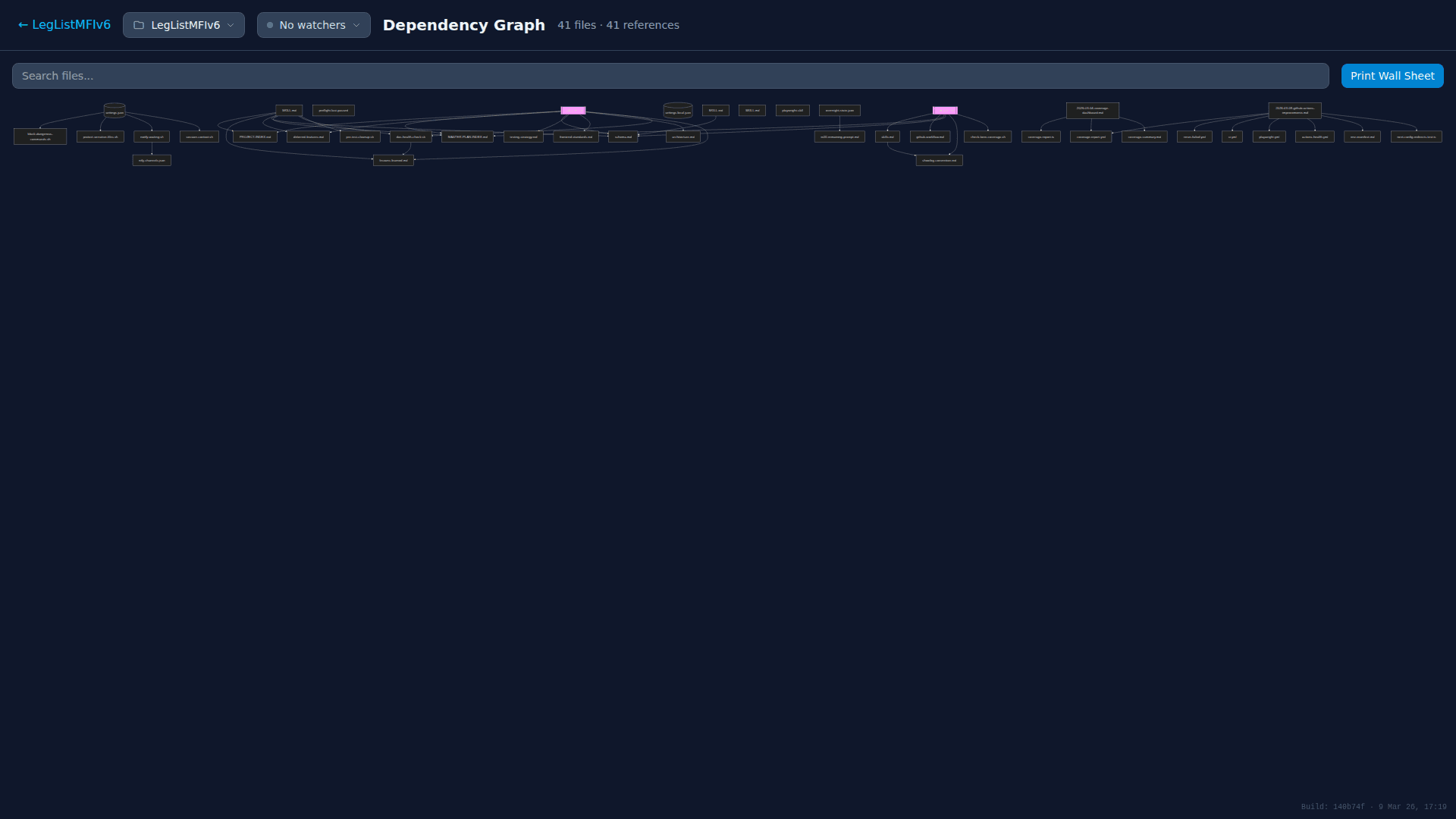
Dependency Graph
Interactive visualisation of how your CLAUDE.md, skills, hooks, and config files connect. Search, zoom, and print wall sheets.
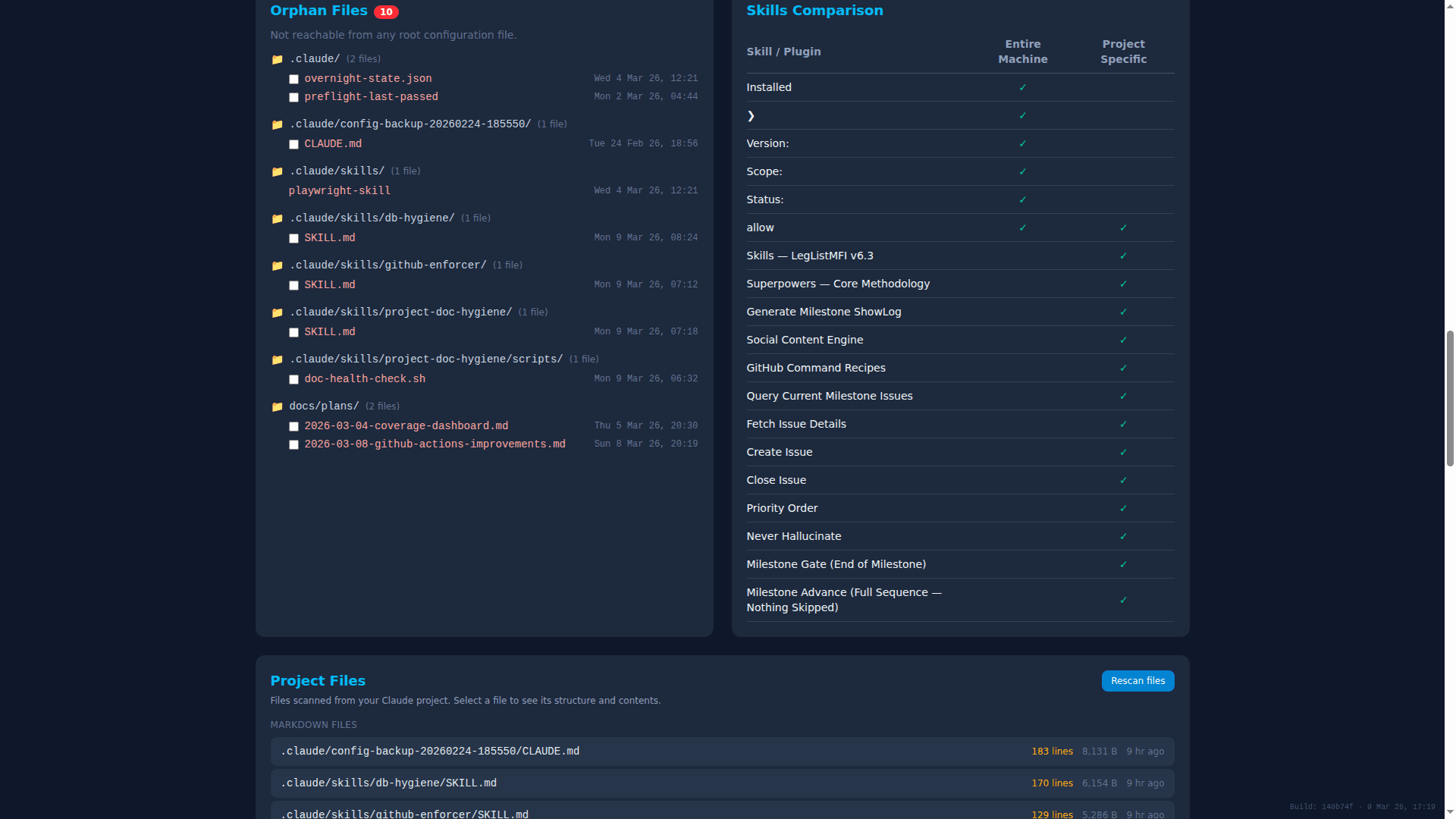
Orphan Detection
Find configuration files that are not reachable from any root. Grouped by folder with modification dates, so you know what to clean up.
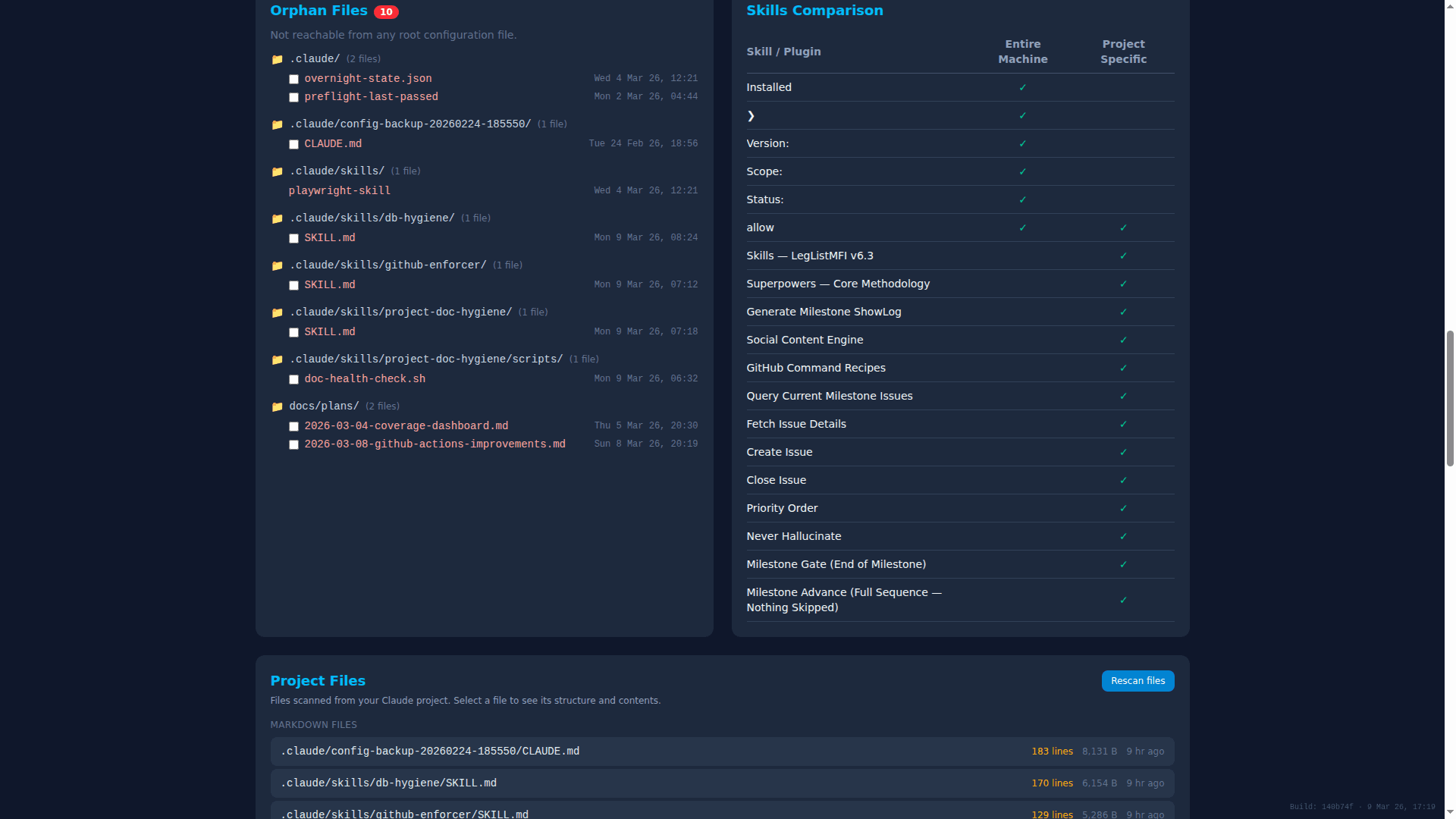
Skills Comparison
See every skill and plugin at a glance — what is installed machine-wide versus project-specific, and their current status.
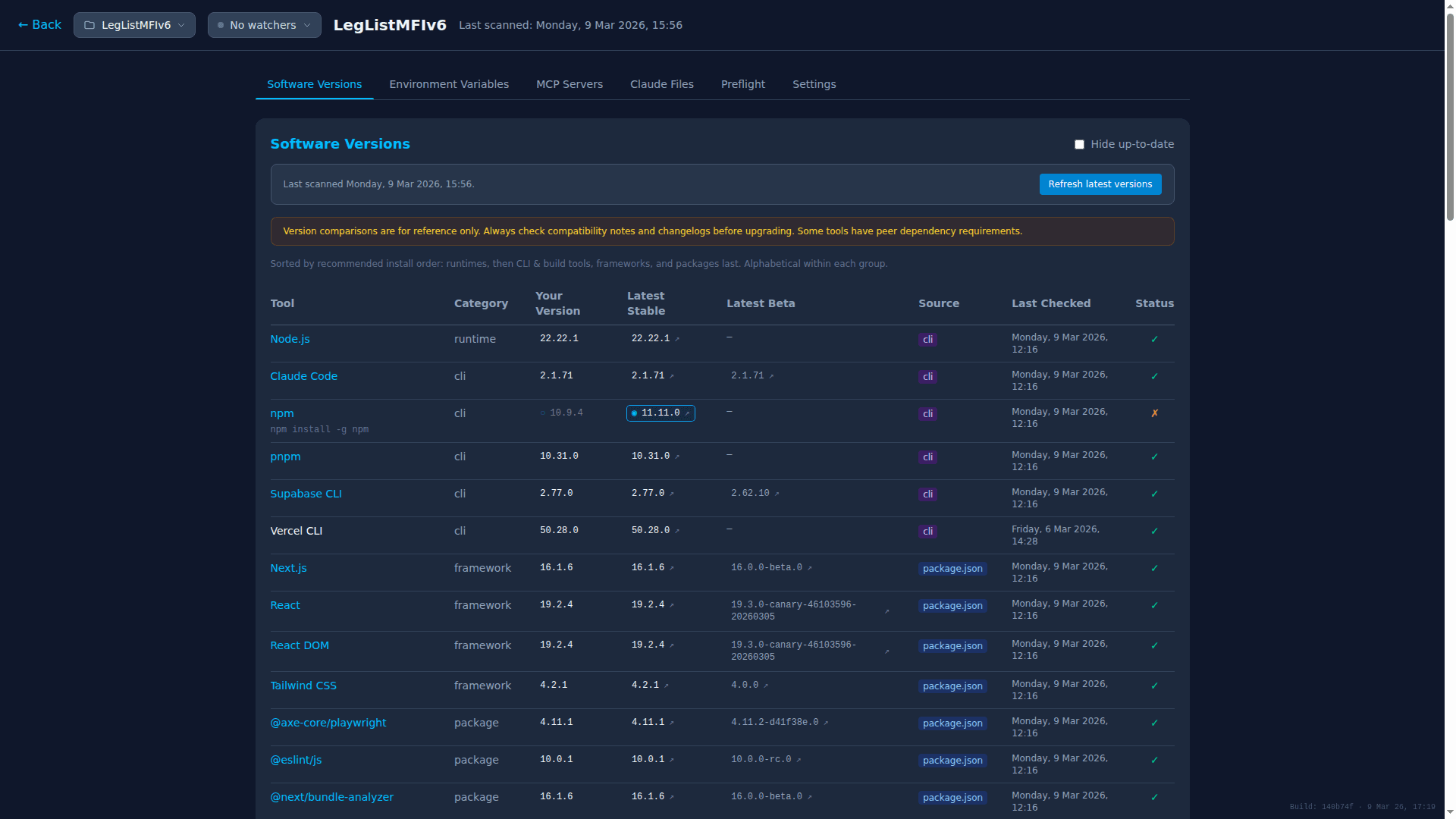
Software Versions
Track which versions of your tools are detected in each project, compared against the latest stable and beta releases.
Three commands. Full visibility.
Install
npm install -g md4aiInstall the CLI globally. Works on Windows (WSL), Linux, and macOS.
Scan
md4ai scanRun in any Claude project. Detects config files, dependencies, skills, and software versions.
View
md4ai.com/dashboardYour scan results appear instantly on the web dashboard. Share with your team.
Works where you work
Scan projects on any platform. Link multiple devices to a single project and keep everything in sync.
Powered by Dynamic Generation
This site's colours are generated from its own content and the weather in Chester, UK — 6 projects, 8 scans and clear skies today.
See the full brand story →Stay in the loop
Get notified about new features, CLI updates, and tips for managing your Claude configuration.